
Explore Mira Studio, your new AI teammate
Ready to learn more?
Request Demo










Our customers say it best
Having access to data is one thing but actually being able to do something with what the data says is another. A solution like Meltwater paints a very clear picture around how our audience behaves and engages across different channels. We're able to use that information to create strategies and ideas.
Davitha Tiller
Executive Vice President, Social and Integration
Meltwater has strong data integrity, great access, and it’s an intuitive tool to use. I don't think any other tool has flexibility beyond what Meltwater does. I don't think it's anywhere close.

Danny Gartner
Social Intelligence Lead
Our key goal is to ensure social data and consumer insights drive every business decision we make. Meltwater was one of the key enablers that helped us become a truly consumer-centric organization.
Florence Rainsard
Global Consumer Insights Director
Having access to data is one thing but actually being able to do something with what the data says is another. A solution like Meltwater paints a very clear picture around how our audience behaves and engages across different channels. We're able to use that information to create strategies and ideas.
Davitha Tiller
Executive Vice President, Social and Integration
Meltwater has strong data integrity, great access, and it’s an intuitive tool to use. I don't think any other tool has flexibility beyond what Meltwater does. I don't think it's anywhere close.
Danny Gartner
Social Intelligence Lead
Our key goal is to ensure social data and consumer insights drive every business decision we make. Meltwater was one of the key enablers that helped us become a truly consumer-centric organization.
Florence Rainsard
Global Consumer Insights Director
Having access to data is one thing but actually being able to do something with what the data says is another. A solution like Meltwater paints a very clear picture around how our audience behaves and engages across different channels. We're able to use that information to create strategies and ideas.
Davitha Tiller
Executive Vice President, Social and Integration
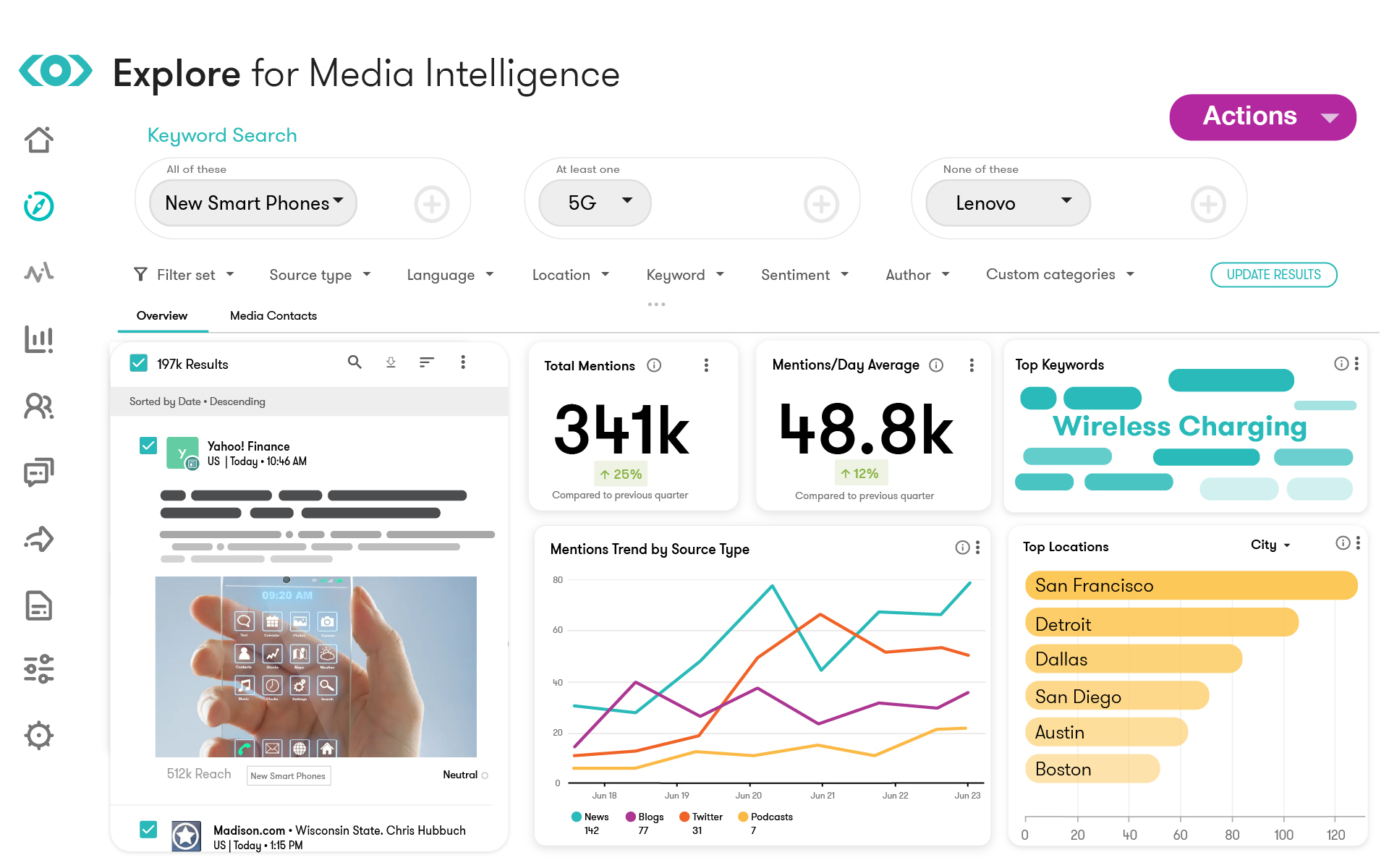
Take the guesswork out of your strategy.
Build your Meltwater Suite and start unlocking the insights you're missing.
Mira FAQs
All your Mira searches are automatically saved in the History tab. Click on any past search to instantly access the full results and review previous insights. This makes it easy to revisit analysis, track how topics evolve over time, or share earlier findings with colleagues. You don't need to re-run searches or worry about losing your work; everything is preserved and ready to access whenever you need it.
You can do both. The prompt library offers prebuilt prompts organized by use case to help you get started quickly with proven queries. But you can also type your own custom prompt directly into Mira to ask exactly what you want to know. You can even edit any prebuilt prompt before running it to tailor it to your specific topic or brand. This flexibility means you're never limited. Use the library for speed and structure, or go fully custom when you need something specific.
You can export your Mira results as a PDF to easily share with your team or stakeholders. This makes it simple to distribute insights across departments, include analysis in presentations, or create executive-ready reports. The export captures the full analysis, so nothing gets lost in translation. It's designed to help you quickly turn AI-generated insights into shareable, actionable intelligence that anyone can understand.
Mira is grounded in real-time Meltwater data, which includes media coverage, social conversations, and your brand context. Unlike generic AI tools, Mira doesn't rely on outdated training data or the open internet; it analyzes current, verified sources from Meltwater's database. This means you get insights based on what's actually happening right now in your industry, not generic responses. The data is continuously updated, so your analysis reflects the latest trends and conversations.
Mira is grounded in real-time Meltwater data and your brand context, not just generic AI outputs like ChatGPT. While ChatGPT provides general information from its training data, Mira analyzes actual media coverage, social conversations, and verified sources specific to your industry and brand. This means you get insights that are current, relevant, and traceable to real sources. Mira is your AI teammate embedded in Meltwater and built specifically for communications and marketing intelligence, not general-purpose AI.
Citations let you trace the data behind every insight instantly. When Mira provides analysis or recommendations, you can click any citation to see the original source, whether it's a news article, social post, or other content. This transparency ensures you can verify accuracy, dig deeper into specific mentions, and confidently share insights knowing exactly where they came from. Citations turn AI analysis into accountable, verifiable intelligence you can trust.
Yes, you can use follow-up prompts to continue the conversation and refine your analysis. Mira will find relevant insights based on both your original prompt and your follow-up questions, so you can progressively dig deeper into a topic. This conversational approach means you don't have to start over with each new question because Mira builds on the context you've already established. It's designed to support iterative exploration and help you uncover layered insights through natural dialogue.
When you open Mira Studio, you'll see the prompt library, organized by use case, such as competitive intelligence, crisis monitoring, campaign analysis, or executive briefings. Click through the different categories to explore what's available, then select the prompt that best matches what you're trying to accomplish. If you're not sure which category fits your need, you can browse through a few to see example prompts and their descriptions. Each prompt is designed for specific workflows, so reading through the options helps you find the right starting point without having to write complex queries from scratch.
Mira lets you save and organize your searches into projects so you can group related work together. This is especially useful for ongoing initiatives like campaign tracking, competitive monitoring, or quarterly reporting. Projects help you stay organized and make it easy to return to specific workstreams without having to search through your full history. You can structure your Mira work the way your team works, keeping everything accessible and organized.
Mira can help streamline recurring reporting by generating analysis and insights on demand. While you'll still need to run prompts when you need them, Mira significantly reduces manual effort by instantly analyzing data and creating summaries you can export and share. Many teams use saved prompts to quickly regenerate regular reports, re-run the prompt, and export the updated results. This turns hours of manual analysis into minutes of AI-powered intelligence you can deliver to stakeholders.